How to Send Wedding Invitations on WhatsApp: A Complete Guide

Learn how to create and share digital wedding invitations on WhatsApp. Discover wedding card design ideas, essential invitation details, for sending invitations to family using InvitePoster.com.
Planning a wedding involves many important details, and inviting family and friends is one of them. Digital wedding invitations make it convenient to share event information with guests, even when they live in different cities or countries.
With InvitePoster.com, you can explore customizable wedding invitation designs, personalize supported elements, and prepare an invitation to share digitally.
What Is a Digital Wedding Invitation?
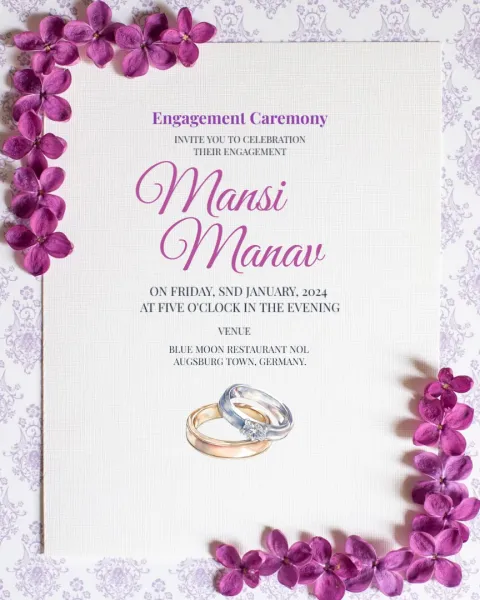
A digital wedding invitation is an electronic version of a traditional wedding card. It can include the couple's names, wedding date, venue, ceremony time, and a personal invitation message.
Digital invitations can be shared through WhatsApp and other social platforms, depending on the available download and sharing options.
Benefits of Sending Wedding Invitations on WhatsApp
1. Convenient Sharing
WhatsApp makes it easy to send your wedding invitation directly to individual guests or family groups.
2. Reach Guests in Different Locations
Digital invitations can help you inform relatives and friends who live far away without relying entirely on physical delivery.
3. Personalized Invitation Designs
You can choose a design that suits your wedding theme and personalize supported text, colors, and decorative elements.
4. Easy Access to Event Details
Guests can refer back to the invitation to check the date, time, venue, and other important information.
5. A Digital Alternative to Printed Cards
Digital wedding invitations can reduce the need for printing and physical delivery, although some families may still prefer printed invitations.
How to Create a Wedding Invitation for WhatsApp
Step 1: Choose a Wedding Invitation Design
Visit InvitePoster.com and explore the available wedding invitation templates. Select a style that reflects your celebration, whether traditional, floral, royal, or modern.
Step 2: Add the Wedding Details
Include the bride's and groom's names, date, time, venue, and other essential information. Check every detail carefully before finalizing the design.
Step 3: Customize Your Invitation
Personalize the supported text, colors, and design elements to suit your wedding theme. Keep the layout clear and the text readable on mobile screens.
Step 4: Review and Prepare the Invitation
Preview the completed invitation and correct any spelling or event-detail errors. Use the available options to download or prepare the design for sharing.
Step 5: Send It on WhatsApp
Open WhatsApp, choose the intended contact or group, attach the invitation image or supported file, and send it with a short personal message.
Sample Wedding Invitation Message for WhatsApp
You can use the following message when sharing your wedding invitation:
“With great joy, we invite you to celebrate our special day with us. Your presence and blessings would mean a lot to our family.
Please find our wedding invitation attached. We look forward to celebrating this memorable occasion with you!”
Add the relevant names, date, and other details when appropriate.
Tips for Sharing Wedding Invitations on WhatsApp
- Check that the invitation image is clear and readable.
- Verify the date, time, and venue before sending.
- Include a friendly message with the invitation.
- Send invitations to the correct contacts and family groups.
- Respect guests' privacy when sharing contact details.
- Follow up personally with important guests when necessary.
What Should a WhatsApp Wedding Invitation Include?
A useful wedding invitation should clearly communicate the essential event information:
- Bride's and groom's names
- Wedding date and time
- Venue and address
- Host or family details, where appropriate
- RSVP contact information, if needed
- Additional ceremony details, if applicable
Keep the most important information easy to find so guests can understand the invitation quickly.
Create Digital Wedding Invitations with InvitePoster.com
Digital wedding invitations offer a convenient way to announce your celebration and share important details with loved ones.
Explore wedding invitation templates on InvitePoster.com, personalize the available design elements, and prepare a digital wedding card to share with family and friends.